Friday, 8 June 2012

GS3 GPS


One of my colleagues asked me today about the GPS on the GS3. It’s something I hadn’t yet tried, so vowed to give it a go on the way home.

I know there were a number of people who had issues with the GPS on the original Galaxy S, and a few had mentioned similar problems with the GS2. I never had any problem with my GS2, but I was only ever using the GPS function for basic driving and walking navigation, and for the Samsung Hope relay app.

Normally I would use my phone instead of a sat nav, however, with my rubbish sense of direction, I often find myself in situations where I quickly have to pull over and try to navigate my way to my destination. However, with the GS2 I found that locating satellites sometimes took quite a while before I could start moving again. This was quite annoying, especially if I got lost when trying to get to somewhere at a specific time (for me, this does happen quite often). So, for the purpose of testing the GS3, I thought I’d first set a route to take me home from work.

The first thing I noticed was that the GPS locks a lot quicker than on the GS2.  I locked onto the GPS satellites while in my car, in the bottom floor of a 2 story carpark in about 30 seconds, which is quite impressive for a first use. Using GPS Test, I was able to see that the handset had locked onto 13 satellites, with an accuracy of 24.2 feet! Pretty impressive! Further navigation attempts locked onto satellites in about 10 seconds, which is handy if you need to get directions quickly. 


In terms of navigation, I particularly like that there is an option for alternative routes – this may be present with the ICS update for GS2, but I never got round to updating mine (I preferred the handset with Gingerbread). This can be shown in the picture below.


For voice guided navigation, the nice lady who tells me where to go sounds a bit muffly compared to the crisp directions on the GS2, which is slightly disappointing. I think this is due to the speaker being positioned at the top of the handset, as the Galaxy Note and GS2 had similar crisp voice navigation from their speakers at the bottom of the device. This is quite annoying.

I also tried the walking directions, which were equally accurate, but had the same muffly voice. Again, the GPS locked on fairly quickly – about 10 seconds – and the directions were extremely accurate.

I know I haven’t tested the GPS extensively yet, but it will get a good outing over the next 
few weeks, and if anything arises, I’ll be sure to let you know. So far, all seems good, apart from the muffly voice navigation.

Thursday, 7 June 2012

The Samsung Galaxy S 3 - Hands on


Since the Unpacked event, I've been eagerly awaiting the arrival of my very own Galaxy S3. It finally arrived - in marble white- and I've been blown away.

The Samsung Galaxy S 3 is undoubtedly a very sexy handset. The slim design with thin bezel and slightly curved edges is comfortable and stylish, and the simple design is classy and elegant. This is the first white device I have ever owned and I was a bit dubious at first, but it is very classy. The software design within ICS is more customisable than that of previous handsets, allowing for the layout to be unique to the user. I especially like the fact that additional fonts can be downloaded to further personalise the device.

Beneath the surface, the specs are equally as sexy.  The quad core processor allows for super speedy internet browsing – I’ve never experienced browsing so fast on a mobile device! Pages load seamlessly and quickly, without any lagging when loading pictures. One little niggle I have with the browser is that you can’t Swype input in the URL bar. This is a minor inconvenience, but is annoying since I was used to this with the GS2, and find it much faster and easier than typing a full address.

The camera is slicker and sharper than that of the GS2, allowing for stunning clarity of pictures. All the usual apps and settings are present- with the exclusion of the news and weather app, which I found extremely useful. I can’t seem to find the same app available for download, but have been able to source suitable alternatives. S Memo is also available for this handset, which is handy, but is not as easy to use as that of the Note, which has the added benefit of the S-Pen for easier handwriting input.

The motion features on the S3 are a great addition, and are far from the somewhat gimmicky motions found on the S2. The direct call feature – allowing you to call a contact by just lifting the phone to your ear – is extremely useful when on the go or in a hurry, and the palm to pause is great when you unexpectedly need to mute the device. Smart stay is a really excellent feature – the device recognises when you are watching the screen, and remains on without the need for constantly tapping the screen when reading emails or web articles, or watching video. When watching video, the pop-up play is a cool feature, which allows you to keep the video open in a small screen, while you continue texting, browsing or composing email. These features really enhance the appeal and performance of the device, rather than being gimmicky additions which you won’t really use.
Another useful inbuilt feature is the mobile data counter – without having to download a separate app, the device tracks the amount of mobile data used, and even tells you how this has been used. A handy, and super accurate, feature, especially nowadays when internet use quickly adds up.

The addition of 50GB of Dropbox space is great, as well as the fact that images and video taken with the handset are automatically uploaded, ensuring that you never lose important images. The device ships with 16GB memory, and can take up to a 64GBmemory card – plenty of space for storing anything you could possibly want.

So, it may have taken a while for my network provider to sort my micro sim, but I was very glad when they did, as it meant I could use this as my main handset. At first I was afraid I may be neglecting my trusty S2, which has served me very very well, but the ease of use and stylish design have me convinced that the Galaxy S 3 definitely is designed for humans, and not for sheep!

Saturday, 5 May 2012

Samsung Galaxy S III - Unpacked 2012


So, on Thursday I had the fantastic opportunity to join my fellow Mobilers at Unpacked 2012 - the worldwide launch of the Samsung Galaxy S III - in Earl’s Court in London. We met up early for breakfast, and the air was filled with speculative chattering about what this next device might be. We had all seen the supposed leaks, but were unsure how the final handset would turn out. At 12pm we made our way to the exhibition centre, where we were to receive a briefing and demo of the handset, before helping with the press launch later that night.


As the slideshow began, the room fell silent – what would this device have in store for us- would it live up to the speculation that it was ‘the next big thing’? Well, it did!


The Galaxy S III has been ‘designed for humans’, taking its design inspiration from nature; the look and feel of leaves, pebbles and water. This theme runs into the software of the device, as well as the hardware.  It will be available in wither blue or white, and will be launched in the UK on 29 May.


And now to the specs.  The GS3 packs some top-notch hardware –
·         4.8” display with 306ppi
·         8mp camera with burst shot and best photo settings (1.9mp front camera)
·         Exynos 1.4 GHz processor
·         HTP40 WI-FI
·         Bluetooth 4.0
·         Extremely thin bezel with hyperglaze skin back cover, and only 133grams in weight
·         Improved motion features – tap to top, shake, smart stay and direct call
·         Notification light
·         S Voice
·         Face and voice unlock
·         Pop-up play
·         Allshare


The processor ensures a speedy response when browsing and multitasking, and allows for the use of the pop-up play feature. This allows e user to watch video in a pop-up screen, which can easily be repositioned on the display, while browsing the web or composing text.


The 8mp camera produces stunning stills on the 306ppi 4.8” display. The burst shot feature takes 20 photos in quick succession; essential for photographing moving objects. The best photo feature then chooses the best picture based on smile detection, blink and blur. 


Smart stay ensures that the display remains lit without dimming while your eyes are focussed on the screen. As soon as your eyes look away, the screen will dim. This is a handy feature which really comes into its own when reading E-Books or browsing lengthy web articles. The direct call feature is also extremely useful. It allows you to make a call just by lifting the handset to your ear, essential for when another text reply just isn’t suitable.


The face and voice unlock feature builds additional security against the face unlock feature seen in the recent Galaxy Nexus. The GS3 can be unlocked by face and voice only, eliminating the risk of using a photo to unlock.


The Allshare feature allows you to share files with other handsets using 3G or WI-FI, or allows streaming of files from your PC to the handset, even when you are outside the home.


The S Voice feature has been compared to IPhones Siri, but in my opinion this is much slicker. S Voice can recognise 6 languages, including both British and American English, and can be used to command the phone as well as bring up weather or calendar information. In terms of usability, it’s very easy, and I must say, I’m impressed that it can even recognise my Northern Ireland accent, a feat which no handset has ever been able to accomplish. I’ll be glad to be able to use the voice feature on the GS3 without having to put on a rather posh English accent!


Also unveiled at Unpacked 2012 were a range of accessories for the GS3. These included a range of cases, a wireless charging dock, a wireless docking station and an Allshare Cast dongle, which allows the user to use the Allshare function with a non-WI-FI enabled TV. The Samsung Pebble was also on show – a smallMP3 player, somewhat akin to the iPod shuffle, but taking the same natural design as the GS3. This will pack 4GB of storage and is available in the same blue and white colours as the handset.


After the product training, we all set off to the main exhibition hall to show off the features of this fab handset to the world’s media. As soon as they were invited to view the handset, 3000 of the world’s press began hurtling towards us, tripping each other and pushing people aside, to be the first one to get those all-important pictures and videos to showcase to the world. The next couple of hours were spent providing demonstrations of the handsets features, and I was tasked with showing off the Allshare Play function (as you can see in the above video). I absolutely loved it, and wish I could do this every day!


After a very busy few hours of promoting, it was time to leave. As we left we were all presented with a lovely Jo Malone candle, which is now burning in my house and making it smell delightful! This was packed nicely inside a Samsung bag, with a gift tag declaring ‘thanks for being our inspiration’ – what a lovely treat! These were given to all of the media present by some very beautiful ladies, as a reminder of the day Samsung launched the next big thing.


From my experience at Unpacked 2012, I can honestly say that the Samsung Galaxy S III is a very attractive handset. The features and design will ensure that it really is the market leader, and this theory will no doubt be proved when it goes on sale on May 29th. I’m already waiting to get my hands on one!

Friday, 16 December 2011

My Samsung Christmas wish

On my Christmas list this year is definitely a Samsung Smart TV. I saw these TVs for the first time at Eurogamer, and I was blown away. Aside from the fact that they are stunningly beautiful, the features on these TVs are amazing! They are slim, and look great on a stand or mounted on the wall – the design really is a work of art.

I’m not a big fan of 3d TVs; I think they’re a bit gimmicky and play havoc with my eyes. As such, I’d love to have a 2d smart TV, which allowed me to watch films in stunning clarity, browse the net without having to reach for my laptop, and easily update my social networks from the comfort of my sofa.
Of course, if I had a smart TV, a shiny new Samsung blu-ray player would also be a must. Why watch standard dvds when you can watch amazing HD blu-rays? Coupled with the super crisp clarity of the Smart TV, my viewing experience would be perfect!

The only downside I could see of having a smart TV would be that my boyfriend would be fighting to play Xbox on it. So Santa, if you could bring two, that would be fabulous!

Sunday, 20 November 2011

Galaxy Nexus

The new Galaxy Nexus is an aesthetically pleasing handset, with a sleek curved design. It’s slightly thicker and larger than the Galaxy S 2, but still feels nice in the hand. The toughened, scratch-proof glass is very resistant to scrapes and knocks, and would definitely manage to survive in pockets with keys and other items which tend to damage phone screens. Just take a look at Dom’s scratch test to prove it - http://www.youtube.com/watch?v=uyLC61JxsJQ


With the new Ice Cream Sandwich operating system and speedy processor, there is no doubt that the Nexus can perform quickly, but the stock OS seems bland compared to previous handsets which included Samsung Touch wiz. The menu layouts are easy to understand, though, but just seem to lack some of the lustre found on Samsung’s other Galaxy range of handsets. This could be down to the change in OS, or the fact that the device is a beta model.

For a handset like this at the top of the market, it is disappointing to see only a 5mp camera. I have not been able to properly test this feature, due to some unsightly green marks all across the camera, which prevent the taking of pictures – this is undoubtedly due to the fact that my particular device is a beta, pre-release version.

The screen quality is another slightly disappointing feature of this handset. The difference between the Nexus and the Galaxy S 2 is clear, with the S2 having a far crisper, sharper display. The Nexus screen appears dull, even when on full brightness, and pages appear grey instead of white.

The integration with Google+ is great, as this allows not only Gmail to be linked to the handset, but also Google messenger and your G+ account. The task manager also looks great, but after a weekend of use, I still haven’t managed to figure out how to actually close apps!

The integration of a notification light on the Galaxy Nexus is a definite plus, as it was one feature lacking in the flagship Galaxy S and S2. This does come in extremely handy. However, the Nexus does not have a MicroSD slot, which I personally think is a bit of a let-down – the SD slot allows data to be transferred between handsets, and easily removed without having to connect to PCs to back everything up. This is probably down to Google beginning to move into the Cloud, but it may annoy many consumers, who feel that a card slot is necessary on any handset.

All in all, I was expecting great things from the Galaxy Nexus, but it seems like a step backwards from the Galaxy S 2 instead of a step forwards. Hopefully this will change when I have a chance to see a final retail version, but for now, I think I’ll stick to the GS2.


Sunday, 6 November 2011

Samsung Galaxy Note - First Look

Upon opening the box of my new Samsung Galaxy Note, my first thought was ‘wow, it’s huge!’ With a 5.3 inch screen, it’s bigger than any handset currently on the market, but is very thin and light in comparison to the screen size - At only 178 grams, the Note is lighter than many other smartphone devices out there. Although many people have noted that it is difficult to use with one hand, this is probably not something to worry about, as many people tend to use one hand to hold the device and the other to enter text – at least that’s the way I always do it!
As soon as the Note is powered on, the effects of the Super AMOLED screen are clear – a crisp, bright display with sharp colours. As usual, Samsung’s Touchwiz interface makes the layout familiar and easy to use – anyone who has ever used a Samsung Android device will be able to pick this up and use it straight away. With Android 2.3, the OS is slick, and, even better, this device will be getting the latest Ice Cream Sandwich OS very soon! As this is not quite the same size as a tablet, applications can run smoothly and look just as good as they do on a smaller screen like the GSII.
The Galaxy Note packs a speedy 1.4GHz processor, which allows for seamless multitasking without compromising on the speed of the device in any way. This also ensures that applications run without lag, helping to improve the overall user experience. The Note also includes Flash support, allowing for a variety of web based games and videos to be played, which look stunning on the large screen.
The 8mp camera (complete with flash) has a similar quality to that of the Galaxy S II. Photos are clear and sharp, with the ability to edit images as desired. Again, the HD video recording is of good quality, and the front facing 2mp camera allows for video calling or mirror type applications.
However, the coolest feature of the Note has got to be the S –Pen. This allows the Note to be used almost like the PDAs of old – typing and tapping with the pen. However, the difference between this and old-style PDAs is that the Note can also be used by tapping with fingers, like a normal phone handset. The S-Memo feature allows the user to capture screen images, and use the pen to make notes on these, highlight important areas or just draw. I’ve spent so much time this weekend since unboxing the handset just doodling – it’s so easy to use, anyone can produce stunning pieces of art. The S-Pen also makes the larger screen easier to manage, removing the need for awkward figure gesturing on the screen, and it tucks away neatly inside the Note when you’re finished, so no annoying dangly attachments or fear of losing it.
Although the Note may not fit perfectly into my pockets (being a small person, I have small pockets!) it certainly fits in my handbag! Yes, it may be large, but for someone like myself who tends to text and browse more than I make calls, this is not a problem. Web pages look more natural on the 5.3 inch screen, compared to a smaller screen like those found in most other smartphone devices, and are much easier to read and navigate. However, if you are someone who is looking for a phone to make calls, I would stick to the Galaxy S II – I will be keeping mine close by for the few calls I make. All in all, the Galaxy Note is a very attractive device, and although the size may put some people off, the benefits are far greater than any other device I have encountered thus far. Personally I think I will keep this device close by for use in meetings, general doodling and internet browsing, but for calling, I think I’ll stick to something that doesn’t look so ostentatious when sat against my ear!


Thursday, 27 October 2011

Eurogamer & WCG

I was lucky enough to be able to attend this year's Eurogamer expo, incorporating the Samsung sponsored World Cyber Games. This was a fantastic opportunity to see and preview upcoming games releases, including Battlefield 3, Call of Duty and Elder Scrolls: Skyrim. I also had the chance to play with the Samsung Galaxy Tab 10.1, and to see the White S2 in the flesh (I prefer the black one!).My highlight definitely had to be the Alienware 3D gaming chair – I was useless at it, but it was absolutely fantastic, and the 3D graphics were stunning!

 I started the day by visiting the Samsung stand, where the gamers were beginning to gather. As the London Excel filled up with people, the hype at the WCG stand was clearly visible. Serious gamers sat for hours, battling with each other to become the world champion. And while this was going on, hundreds of people were milling around the Excel, trying out the games and generally enjoying the (extremely geeky) atmosphere. As we walked around, we had the chance to meet R2D2, Darth Vader and various other Star Wars characters, all there to enhance the experience at the Star Wars stand.

 I’ve included the link to my Flickr photoset below, so you can get a feel of the Expo, and the kinds of things that were going on.

 The Expo was a really good experience, and I felt very lucky to be able to experience some unreleased consoles and materials, as well as enjoying some retro games, including GameCube, Atari and Nintendo 64! 

Samsung Galaxy S II vs Apple IPhone 4S

You’ve probably seen a few of this type of review floating about, and may be a bit concerned about bias, so I’m going to attempt to do a simple review, detailing the specs and features of each phone.

SAMSUNG GALAXY S II
APPLE IPHONE 4S

SIZE - 125.3 x 66.1 x 8.5 mm
WEIGHT - 116 g
DISPLAY - Super AMOLED Plus capacitive touch screen, 16M colours
                  480 x 800 pixels, 4.3 inches (~217 ppi pixel density)
                 - Gorilla Glass display
                 - TouchWiz UI v4.0
                 - Multi-touch input method
                 - Accelerometer sensor for UI auto-rotate
                 - Touch-sensitive controls
                 - Proximity sensor for auto turn-off
                 - Gyroscope sensor
MEMORY - 16GB/32GB storage, 1 GB RAM
                    microSD, up to 32GB, 8 GB included
CAMERA - 8 MP, 3264x2448 pixels, autofocus, LED flash
                   Geo-tagging, touch focus, face and smile detection,  image stabilization
                   1080p video recording, 2mp front camera
OS - Android OS, v2.3 (Gingerbread)
        Dual-core 1.2GHz ARM Cortex-A9 processor, Mali-400MP GPU, Exynos chipset
FEATURES - Active noise cancellation with dedicated mic
                     - TV-out (via MHL A/V link)
                     - SNS integration
                     - Digital compass
                     -  MP4/DivX/XviD/WMV/H.264/H.263 player
                     - MP3/WAV/eAAC+/AC3/FLAC player
                     - Organizer
                     - Image/video editor
                     - Document editor (Word, Excel, PowerPoint, PDF)
                     - Google Search, Maps, Gmail,
YouTube, Calendar, Google Talk, Picasa integration
                     - Adobe Flash 10.1 support
                     - Voice memo/dial/commands
                     - Predictive text input (Swype)

BATTERY - Standard battery, Li-Ion 1650 mAh
TALK - Up to 18 h 20 min (2G) / Up to 8 h 40 min (3G)
STANDBY - Up to 710 h (2G) / Up to 610 h (3G)


SIZE - 115.2 x 58.6 x 9.3 mm
WEIGHT - 140 g
DISPLAY - LED-backlit IPS TFT, capacitive touch screen, 16M colours
                   640 x 960 pixels, 3.5 inches (~330 ppi pixel density)
                 - Scratch-resistant oleophobic surface
                 - Multi-touch input method
                 - Accelerometer sensor for auto-rotate
                 - Three-axis gyro sensor
                 - Proximity sensor for auto turn-off


MEMORY - 16/32/64 GB storage, 512 MB RAM

CAMERA - 8 MP, 3264x2448 pixels, autofocus, LED flash
                   Touch focus, geo-tagging, face detection
                   1080p video recording, VGA front camera

OS - iOS 5
        1 GHz dual-core ARM Cortex-A9 processor, PowerVR SGX543MP2 GPU, Apple A5 chipset
FEATURES - MicroSIM card support only
                    - Scratch-resistant glass back panel
                    - Active noise cancellation with dedicated mic
                    - Siri natural language commands and dictation
                    - iCloud cloud service
                    - Twitter integration
                    - Digital compass
                    - Google Maps
                    - Audio/video player and editor
                    - Image editor
                    - Voice command/dial
                    - TV-out


BATTERY - Standard battery, Li-Po 1432 mAh
TALK - Up to 14 h (2G) / Up to 8 h (3G)
STANDBY - Up to 200 h (2G) / Up to 200 h (3G)


 So, with so many similarities, how are you to decide which handset is the one for you?

 There are those who will remain loyal to Apple, to Samsung, or to the Android platform; those whose opinions will never be changed. However, for those of you who are unsure…

Considering the GS2 was launched over 6 months ago, it does a very good job of running with the IPhone in terms of features and power. Its 1.2GHz processor packs a bigger punch than the 1GHz of the IPhone 4S, and its 1GB ram is superior to Apple’s 512MB.

 The industry preferred Super AMOLED screen quality of the GS2 is sharp, with vivid colours, and the Retina display of the IPhone provides a similarly excellent quality view. With both handsets featuring an 8mp camera, you’re guaranteed excellent picture quality no matter which you choose. However, the front-facing cameras differ, with the IPhone offering a VGA and the S2 packing a 2MP, useful for video calling and various mirror apps.

 Speaking of apps, IOS limits the user to downloading only Apple apps, while the Android market on the S2 is packed with thousands of apps from various developers. However, this can have its downfalls too, as Android apps are not often as rigorously tested as those for Apple devices, but with such an offering, it can be a minor annoyance, as there are often multiple apps which can perform the same function.

 In terms of size, I think this is often a personal choice. Yes, the GS2 is thinner and lighter than the IPhone, but this in no way influences the power and performance of the handsets. There will be those who prefer a larger handset, and those who prefer something a little lighter – these personal preferences will never change.

 On paper, the Samsung Galaxy SII is a superior handset, with greater RAM a faster processor, removable memory, higher quality front facing camera and a longer battery life, but I’ll let you make up your own mind!

 And now, for the vastly opinionated paragraph (just my views people!)!

 Personally, I am an Android lover – always have been. I’ve never owned an Apple device and probably never will, just because I’m not a fan of the OS and don’t particularly like ITunes or the App store (I have used these devices, just never personally owned one). In my opinion, the GS2 is a superior handset, and, as others have said before me, it seems like the IPhone is trying to play catch up in an industry upon which it has lost its grasp. Consumers often resent having to fork out hundreds of pounds for some minor changes to a handset, and want to see a substantial improvement for such a large amount of money. I personally think that Apple are starting to falter, and with such a massive Android dominated industry, with handsets such as the feature-packed GS2, it’s going to be very difficult for them to get back in the game.

Sunday, 28 August 2011

Pictures with the Samsung Galaxy S II

This week's mission was to take a series of photos with our Samsung handsets. I decided to take my photos with the Galaxy S II, and base them around the theme of  'a new house'. The photos were taken using the standard camera app, with the features and effects included, without downloading any further applications. Effects used include sepia, greyscale, negative and cartoon.


Sunday, 21 August 2011

Mission 3 - A Day in the Life

Mission three involves creating a post or video based on the thing we use our phones for every day. I've created a short video which will go along with this post (see below).

I use my GS2 as an alarm clock every morning. Throughout the day, I also use the home screen as a clock, rather than wearing a watch. I tend to use the news app to keep up to date on current affairs, and will check this several times a day. I keep all my appointments and to-do lists in my calendar to keep me on track for the day. Like most smartphone users, I get my emails to my phone, saving the time and effort of searching for a computer when I'm out and about. I also use my Galaxy S 2 to check my Facebook and Twitter feeds troughout the day. While I'm on the bus, I use the music player on my phone to keep me entertained. Last, but by no means least, I use my phone everyday to make calls and send countless text messages - without it, I wouldn't be able to stay in touch with my friends or family.

Saturday, 6 August 2011

Part 2 - Music

There are many music apps available, with my personal favourite being Spotify, which allows easy and fast music streaming. However, the disadvantage of Spotify is that you cannot download songs, and this is where Samsung's Music Hub comes in handy.

The homepage is easily laid out, with top albums and new tracks featured. This app also allows you to search easily for tracks.
After clicking 'Top Tracks' a clear list is available with all the top tracks available to download, with prices clearly displayed beside. To download a track, simply click the shopping trolley icon, and the track will download to your handset.


If you click on the 'My Music' button from the homepage, you will be presented with a list of all tracks that are currently downloaded onto your handset, and these can be played from here.


Similar to the Samsung Music Hub, is the 7digital app. As you can see, this is laid out in a fairly similar manner, and is just as easy to use.


When it comes to music, the top 5 tracks on my phone currently are:

Accidentally in Love - Counting Crows
Bad Romance - Lady Gaga
Fireflies - Owl City
Low - Flo Rida ft T-Pain
Party in the USA - Miley Cyrus

Just like books, music is super easy to download or listen to on your phone - especially with the help of fantastic apps like these!

Mobiler Mission 2 - apps and games

This mission came in three parts - readers hub, music hub and games.

Part 1 - Readers Hub

Samsung's Readers Hub is soo easy to use and to download loads of great newspapers, books and magazines straight to your phone. And here's how!

Just click on the Reader's Hub icon on the screen, where you'll see this.

Simply click on what you'd like to download - newspapers, books or magazines.


You'll then see the next screen, where you can create your own account.


After this, you just need to fill in an email address and password in the sign in page - and you're ready to start reading!

From here, you can browse by category, most popular, or search for specific titles.


When you find something you want to download, all you have to do is click on it, and in a matter of seconds the full text will be available for you to read on your phone.


There are so many titles available to download in Readers Hub - my top five are:
The Jungle Book - R. Kipling (free download)
The Complete Wizard of Oz Collection - L. F. Baum ($0.71)
The Tales of the Flopsy Bunnies - B. Potter (free)
Oliver Twist - C. Dickens (free)
The Girl with the Dragon Tattoo - S. Larsson ($6.47)


With the Readers Hub being so simple to use, there's no excuse for not reading more!

Wednesday, 20 July 2011

Mobilers 2011 - Mission 1 - Samsung Galaxy Pro

Mobilers 2011 kicked off with a bang with a gathering of Mobilers old and new at Samsung HQ. Unfortunately, I was unable to attend, and so waited patiently for updates from the others as to the form this year’s program would take.
The first item on the Mobiler list this year is the Samsung Galaxy Pro, and how this compares to a Blackberry. The Blackberry 9780 Bold seems to allow the fairest comparisons.
   
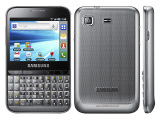
Upon opening the box, first impressions of this handset were not particularly high. I thought it looked fat and stubby (66.7mm wide compared to 9780’s 60mm), however, after using it for a few days, I’ve discovered that this is due to the keyboard, which has keys larger than those of a Blackberry. With a Blackberry, the keys are often very small and tightly packed, and this case rings true with the Bold, however, on the Galaxy Pro, the large keys are well sized and placed for typing. However, one thing that was noticed by the Mobiler group is the absence of a = sign on the physical keyboard. For this symbol, the onscreen keyboard must be used, which is slightly odd.
Unlike the Blackberry’s optical trackpad for navigation, the Galaxy Pro features a touch screen. This makes everything easier to use, as I have found the Blackberry trackpad to be very temperamental when trying to navigate. However, the QVGA screen is rather small, and makes the use of apps difficult, as smaller items can be difficult to read. I have noticed this especially with facebook - the text is very small with no way to enlarge. Also, when using the internet, pinch-to-zoom multi-touch has been sacrificed for tap-to-zoom. I find this annoying, as the text when zoomed out is too small, yet when zoomed in is too large for the screen, creating unnecessary scrolling about web pages. Also, an auto rotate feature has been added to the Galaxy Pro – which seems a fairly pointless feature on a handset with a physical keypad – however, this is easy to turn off with just a touch of a button.
While the Blackberry 9780 boasts a 5mp camera, the Galaxy Pro features a 3.15mp. In my opinion, the pictures could be a lot clearer, but this is due to the fact that I’m used to the8mp camera with pictures viewed on the large screen of a Samsung Galaxy S 2. The QVGA video is also quite poor, however, with handsets like the Blackberry 9780 and Galaxy Pro being used mainly for browsing and email, it is likely that the camera specifications will not be as important as others for many potential purchasers.
The Galaxy Pro runs on Android 2.2 (Froyo), and seems to work well with this. The usual TouchWiz interface is present, ensuring the layout is familiar and simple to use. The 800MHz processor allows the Galaxy Pro to process commands and applications quickly and with ease.  With the Android software comes the usual vast selection of apps, in comparison to the slightly poorer offerings of Blackberry AppWorld. However, the main feature that Blackberry users will report to be missing on the Galaxy Pro is BBM. However, the popularity of WhatsApp (available free from the Android Market) has grown vastly in recent months, allowing free messaging between Android and IPhone users, in a similar manner to BBM.
Compared to other Android powered devices, many of which include a large touch screen, the Galaxy Pro’s battery life is phenomenal. My device has remained on since unboxing three days ago, and still has plenty of battery life left to go. I suspect that with heavier usage, the battery life will remain higher than average for Android handsets. This is a definite bonus for those who need to keep in touch.
In all, the Samsung Galaxy Pro is comparable to the Blackberry 9780 Bold, and would suit social users, interested in the SNS and email capabilities of the handset. The camera quality and low quality screen let the Pro down in terms of app display, but the physical keyboard is perfect for those who enjoy social networking and email. This handset should fare well against Blackberry as a social handset, thanks mainly to the familiar Android software allowing easy transition from any other Android device, as well as WhatsApp messenger, Google integration and a massive apps market.

Sunday, 15 May 2011

Galaxy S II advert

Mission two on the Samsing Galaxy S II was to design an advert for the phone, focussing on what the handset means to me and how it has affected my life. I chose to do mine as an image, reflecting upon how, as a student, the Samsung Galaxy S II allows me to read and send emails, open files with the Dropbox application, view and edit documents in picasa, all while keeping me up to date with my social networks, and allowing me to relax by playing some excellent games.

Many thanks to Darren Tweed for the graphic design for this ad - I'm not very good with photoshop!

And here it is..!

Wednesday, 27 April 2011

Samsung Galaxy S II

After what seemed like ages since receiving my amazing Samsung Galaxy Tab, and thinking it was all over, I received an email into my inbox from Samsung.
We wondered if you would complete two more missions for us...on the new Galaxy S II!
Yes, that’s right, if you’d like to take part we’ll upgrade your handsets to our latest smartphone, which is not even in-store yet.  So if you would like to get involved, please let us know by Wednesday 20th April, and send us the address you would like us to send your new Galaxy S II to.”
Well, how could anyone say no to such an amazing offer! And believe me, I am SO glad I accepted! As soon as I opened the box and hit the power button of my brand new, as yet unreleased Samsung Galaxy S II all I could say was WOW!!
The Super AMOLED screen is utterly amazing, and is the clearest I have ever seen on any handset (and that comes from someone who works in mobile telephone retail). The handset feels brilliant to hold, the screen is a really good size, and it’s so thin and amazingly light, which I definitely wasn’t expecting. The Android 2.3 (Gingerbread) operating system seems faultless on this handset, and the TouchWiz interface ensures that everything is easy to find and to use. The notifications bar at the top of the screen allows you to easily turn on WiFi, Bluetooth and GPS, as well as adjusting sound profiles quickly and easily without trawling through endless menus. Add all this to the dual core processor onboard and you have a phone that’s super quick, super light and super...well, super!
Since I received delivery of the Galaxy S II while I was visiting Oxford and London, I decided that I’d make use of the sunshine and test the 8mp camera. AMAZING! One particular photo stunned me so much I have to share it...
You’d never tell that this was taken on a mobile phone and not a digital SLR camera. I’ve shown this picture to everyone I’ve spoken to recently and all of them agree.
As well as all the main features, this phone also has some really nice little gimmicks. The tilt to zoom feature is really handy when viewing photos or web pages, and the panning feature allows you to customise your home page extremely easily. All the usual android apps are available, as well as a gaming and music hub from Samsung, allowing you to download games and songs directly to the handset with minimal fuss.
The design of this handset is one of the thinnest I have seen on the market at the minute and is so simple yet elegant and extremely stylish. Also, the battery life stands up to my constant use, lasting longer than previous handsets I’ve used or owned.
I’m definitely proud to be one of the first people to own this handset. The Samsung Galaxy S II is effortless to use, and from reading various other internet blogs it seems that anyone else who has tested this phone agrees. I knew it would be difficult to surpass the success of the Samsung Galaxy S, but the Galaxy S II will definitely be the handset to do it!